Welcome to Magento Store Configuration
Let's get started by setting up your store name and basic information.
Choose Your Platform
Select your preferred platform and version for your store.

Magento
Enterprise E-Commerce Platform

Laravel
PHP Web Application Framework

WordPress
Content Management System


Customize Your Store
Choose themes, colors, fonts, and upload your branding assets.
Theme Selection
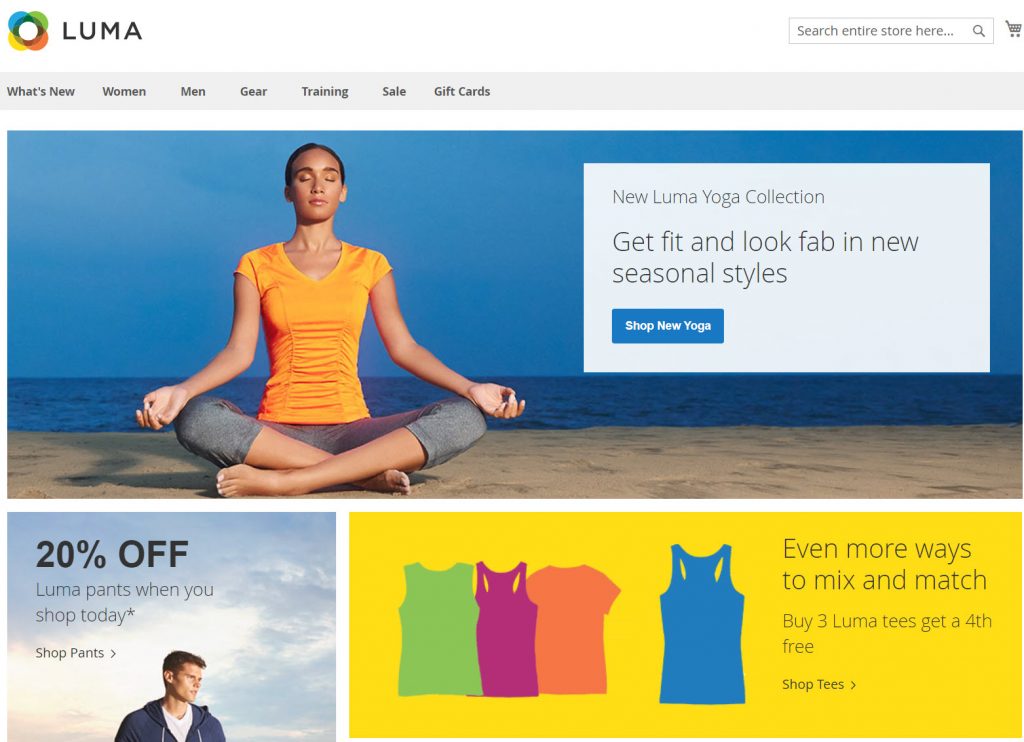
Luma
Default Magento theme with modern design
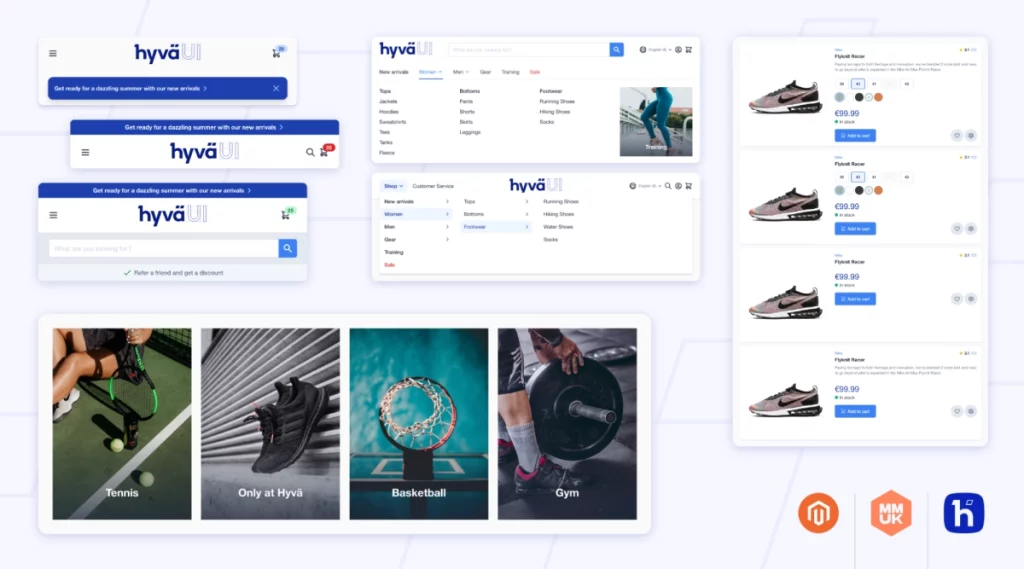
Hyva
Fast and lightweight theme for better performance
Color Scheme
Brand Assets
Typography
Select Modules & Extensions
Choose the modules and extensions you want to include in your store.
Filter by Category

PayPal Integration
Accept payments securely with PayPal for your ecommerce store.

Stripe Integration
Enable fast and secure credit card payments with Stripe.

WooCommerce Integration
Integrate WooCommerce for advanced ecommerce features and flexibility.

Analytics & Reporting
Advanced analytics and reporting tools for your store.
Inventory Management
Advanced inventory tracking and stock management.
Marketing Automation
Email marketing, abandoned cart recovery, and promotional tools.
Payment Gateway
Integrate popular payment gateways like Stripe, PayPal, and Square.
SEO Optimization
Search engine optimization tools and meta tag management.
Shipping Calculator
Real-time shipping calculations with major carriers.
Sample Data Configuration
Choose whether to include sample data in your store setup.
Tip
Sample data includes demo products, categories, and content that you can easily replace with your own. This is especially useful for testing your store's functionality before adding your actual inventory.
Review Your Configuration
Please review all your selections before proceeding with the deployment.
Store Information
Platform & Dependencies
Styling & Branding
Selected Modules
No modules selected